About ResizerPhoto
resizerphoto.in
ResizerPhoto.in has been built for everyone, for every kind of user. You do not need to install any software or create an account to use it. It is a fully reliable website and a very good place to edit your photos, and it has been made clean and simple on purpose. For example, if you are filling out an online form, changing the size of a photo, creating an Instagram post, sending something by email, compressing a JPG file, or doing any similar job, you can use it easily.
Our mission
We believe that photo editing should come with a tool or browser that is free, respects your privacy, and is very fast and accurate. We will keep trying to build it that way. To be clear, none of your data is ever sent to any server.
What we offer
- Image resizer, compressor, and crop tools
- Circle crop, round corners, and aspect ratio presets
- Brightness, blur, grayscale, border and watermark tools
- Format conversion: JPG, PNG, WebP
- Social & document sizes: Instagram, Facebook, YouTube, WhatsApp DP, passport photo
Why choose us?
- Free — no subscription required for standard use
- Private — client-side processing in your browser
- Mobile friendly — works on phones and desktops
- Clear instructions — each tool includes step-by-step help
Have feedback or want a new tool? Get in touch — we read every message.
How our tools actually work
Every tool on this website is built with HTML, and no API is used in it. It runs entirely inside your web browser and works purely as JavaScript. When you upload a photo, it is loaded directly into your browser's memory and never goes anywhere outside your device. The tool then does its work, such as cropping, filters and format conversion, right there. When you download, the file is saved quickly and smoothly, and at no time is your photo uploaded anywhere. Before using any tool, please check your network connection and the quality of your photo. Also, before resizing any photo, always keep a copy of the original with you, so that if something goes wrong you do not face a problem later. Unlike some other free online photo tools used for compressing, resizing or recovering photos, nothing here is uploaded to a server.
Who uses ResizerPhoto
Whether it is for college, an exam form, a student ID photo, a photo in a required size, or a photo for an Aadhar card or a PAN card, you can use our tools. Small business owners, social media managers and anyone preparing images for social media platforms such as Facebook, Instagram, Pinterest and LinkedIn can use them too, including for making cover photos. Photos can be compressed and cropped, and if you want to edit anything else, that can be done as well. The tools are very easy and very simple to use.
Our approach to keeping this free
ResizerPhoto runs on advertisements instead of subscriptions, so every tool can be used completely free, without creating an account, and without any limit. The interface is very simple. We do not collect any of your image data or share it with anyone, because all of your data stays in your own browser and is never sent to any third party. However, we cannot give any guarantee about the ads shown by AdSense. If you click on an ad and land on a third-party website, we will not be responsible for that.
Choosing the right tool
If you are not sure which tool is right for you, think about what you want to change. If you need a photo with an exact width and height, use the resizer. If the file is bigger than the upload limit, use the compress or Resize to KB tool. If you only need a part of the photo, use a crop tool. If you want a different file type, use the converter tool. These are small things, but it helps to know them.
JPG, PNG and WebP
A JPG file is usually small and is good for normal photos. A PNG file keeps the edges clean and the background can be transparent, so it is good for logos and round profile pictures, but it is often bigger in size. Most new browsers and phones can open WebP files, but some old forms only accept JPG. So please check the form before you choose a format.
When a form says the file is too big
Many government and job forms ask for a photo of a fixed size, such as 20 KB to 50 KB, or sometimes even less. In that case you can use the tools on this website. Set the right width and height, and then reduce the file size. You can also make your photo better, and if the photo looks blurry, you can correct it to some extent. Please do visit our website whenever you need this.
Protecting your privacy
A photo taken with a phone can carry details such as the date, the time and more. If you share a photo, you can use the Remove Metadata tool to clear this information. Private things in a photo, such as a number or an address, can be hidden with the blur and pixelate tools. But if any private detail still remains visible, we are not responsible for it.
Saving your files
After you download a photo, give the file a clear name, for example your name and the purpose, so that you can find it easily later, edit it again, or tell the edited photo apart from the original. The file is saved only on your own computer or phone. It is not stored anywhere else. Please use this website at your own responsibility. If any problem comes up while using it, we will not be responsible for it.
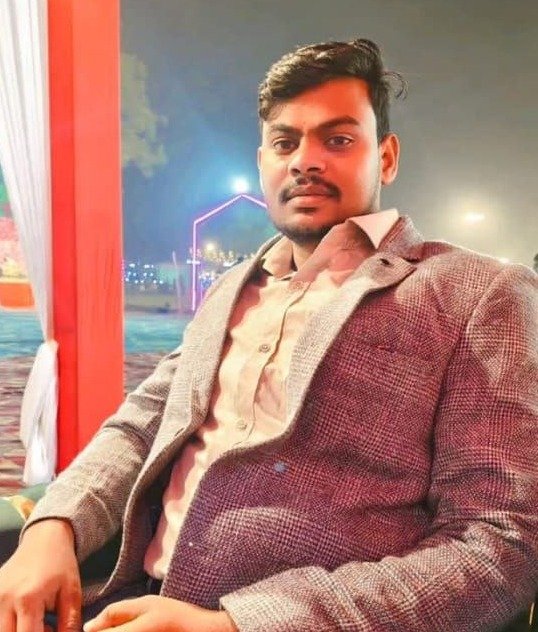
Ankit Kushwaha
Creator & developer of ResizerPhoto.in
I built ResizerPhoto.in to give everyone fast, free, and private photo tools that work entirely in the browser. If you have feedback, feature requests, or just want to say hi, feel free to reach out.