
Multi-Format Image Converter
Convert and download in seconds
In today’s digital age, almost everyone needs to convert image formats. Sometimes they need JPG for a website, sometimes PNG for a transparent background, or WEBP for a smaller image size. In these situations, your Image Converter tool proves to be very useful. This tool allows users to convert from one image format to another quickly, securely, and in high-quality.
This Image Converter is especially beneficial for those working on blogging, graphic design, website development, or social media content. Without any complicated procedures, this tool converts images in a few simple steps.
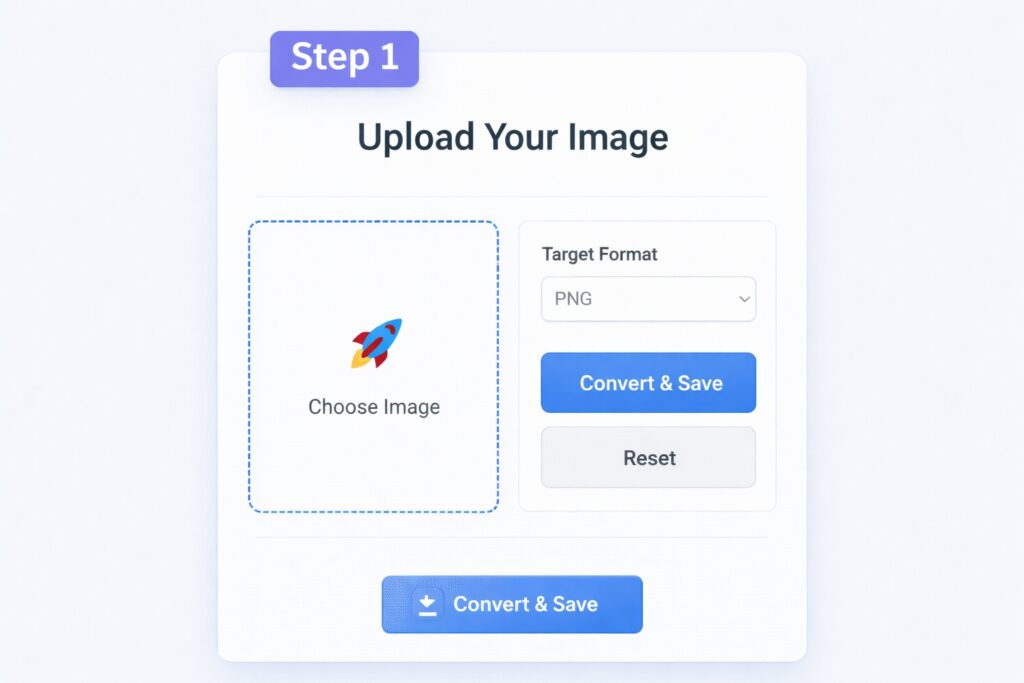
Step 1: Uploading an Image
First, users need to upload an image from their device. Your Image Converter tool provides the option “Choose File” or “Upload Image.” By clicking on this option, users can select an image in JPG, PNG, WEBP, or other supported formats.
The upload process is completely secure and there is no compromise on image quality. This step is very simple and user-friendly, allowing anyone to use it without technical knowledge.
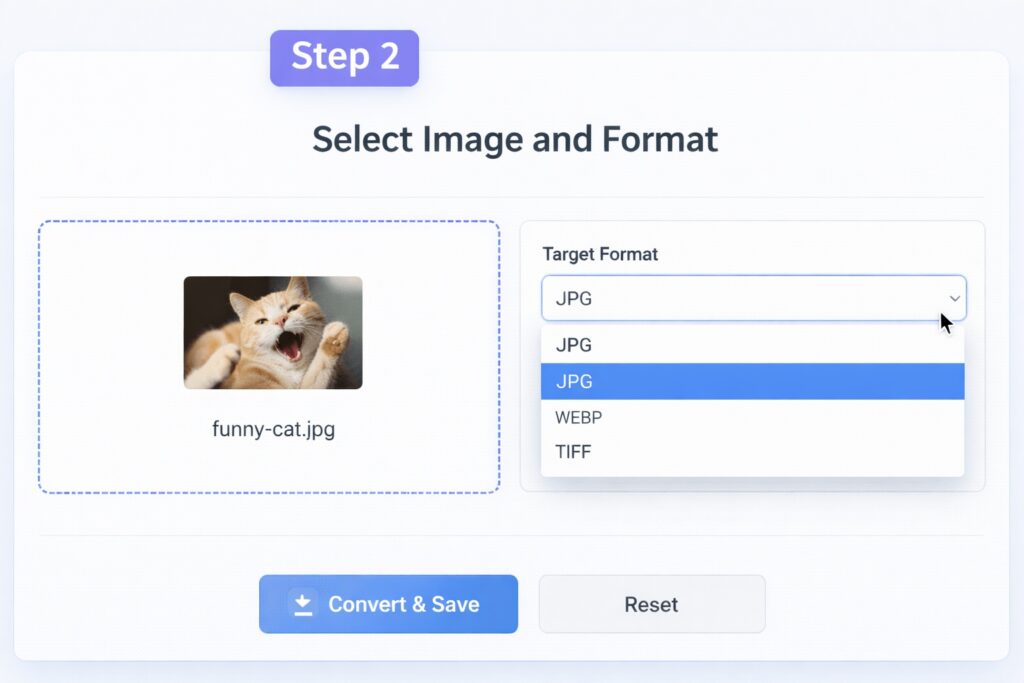
Step 2: Selecting the Output Format
After uploading the image, the next step is to choose the output format. Your Image Converter tool provides users with several options, such as JPG, PNG, WEBP, and BMP.
If a user wants a smaller image for their website, they can choose WEBP. If they want a transparent background, PNG is preferred. This way, this image converter allows them to choose the appropriate format based on their needs.
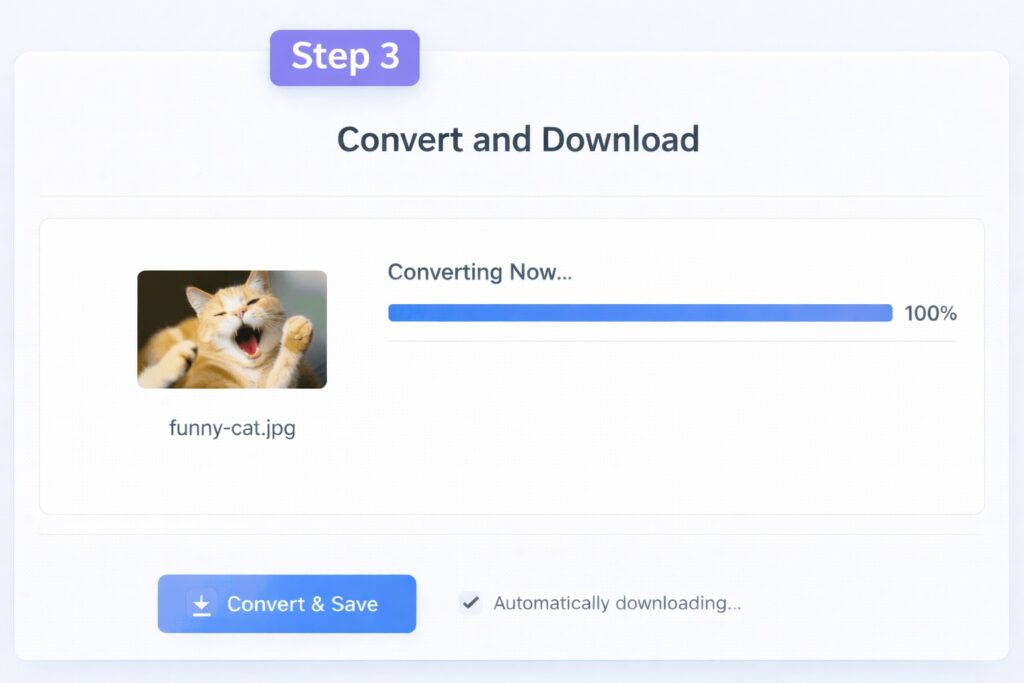
Step 3: Clicking the Convert Button
Once the user has selected both the image and the format, they simply click the “Convert” button. This step initiates processing and converts the image to the new format within seconds.
Your Image Converter uses high-speed processing, which ensures very fast conversion. Furthermore, image quality is maintained and there is no loss in resolution.
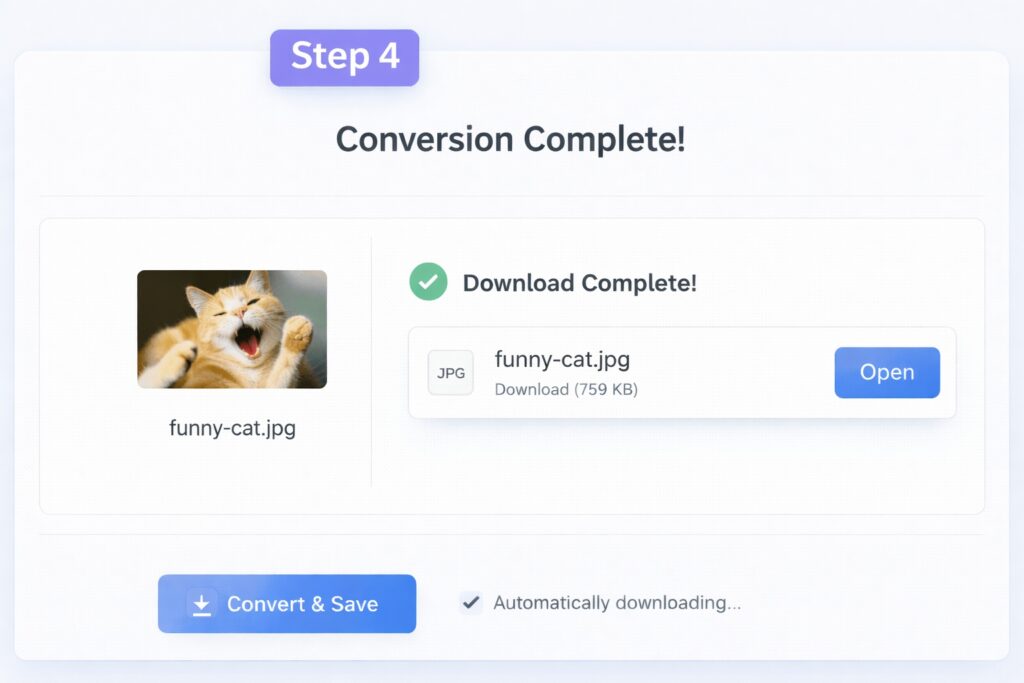
Step 4: Download Converted Image
After the conversion is complete, the user sees a “Download” option. By clicking on it, they can save the newly converted image to their device.
The entire process takes just a few seconds. Your Image Converter tool is not only easy but also completely secure, ensuring user files remain safe.
Key Benefits of Image Converter
Fast and secure image conversion
Support for multiple formats (JPG, PNG, WEBP, BMP, etc.)
High-quality output
User-friendly interface
Free and available online
Related Post :- PDF Converter Online 2026 – Convert Files to & from PDF Easily
Conclusion
Overall, Your Image Converter tool is useful for anyone who needs to convert image formats. With easy steps, fast processing, and excellent quality, this tool makes digital work even simpler.
If someone is looking for a fast, safe, and reliable image converter, this tool can prove to be an excellent choice.